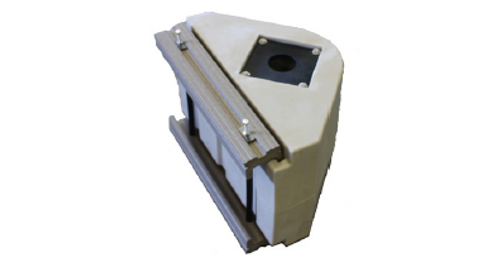
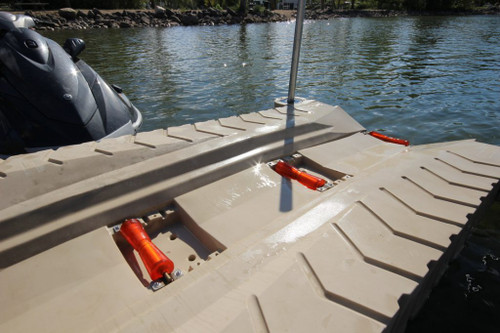


The ShorePort Front & Middle Keel Roller is one complete replacement assembly that can be installed in either of the two adjustable roller positions toward the front of a ShorePort. The roller supports and guides the PWC keel during loading and launching. Three mounting slots plus axle-up or axle-down orientation provide several height and angle combinations for tuning the port to the watercraft hull.
Why the Front and Middle Rollers Matter
Guides the PWC Keel
The 12-inch roller helps center and support the watercraft as it moves between the water and ShorePort platform.
Fits Two Roller Positions
Use the same assembly as a replacement for either the front or middle ShorePort roller location.
Multiple Adjustment Combinations
Choose among three slots and flip the axle orientation to change roller height and loading geometry.
Complete Replacement Assembly
The roller, shaft, side plates and assembly components are supplied together rather than as a bare roller only.
Adjust the Roller to the PWC—Not Just the Port
Higher / Forward Settings
Often Make Unloading Easier
- Moving a front or middle roller forward and/or axle-up increases the support height.
- A higher front roller can reduce the effort needed to push the PWC back into the water.
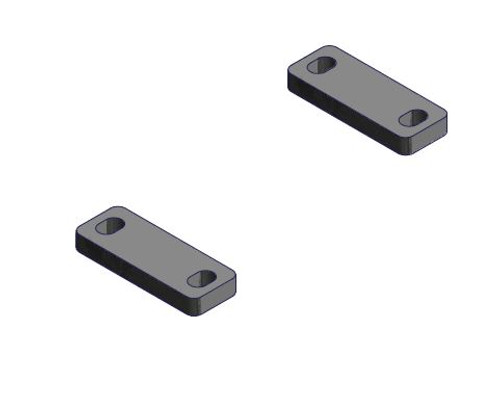
- If the standard highest position is still insufficient, the Keel Roller Spacer Plate can add another 1/2 inch.
Lower Settings
May Improve Retention on the Port
- A roller set too high can make it harder for the PWC to remain securely positioned.
- Adjust one position at a time and test loading and unloading at controlled speed.
- The best combination varies by hull design, weight distribution and ShorePort freeboard.
What’s Included
- One 12-inch drilled polyethylene keel roller
- One 15-inch roller shaft
- Two front/middle roller side plates
- Assembly components for one roller position
- Part Number 1001776
Not Included
- ShorePort PWC port
- Rear keel roller assembly
- Optional 1/2-inch spacer kit
- Adjustment tools or installation labor
Make Adjustments with the PWC Off the Port
Use a 7/32-inch hex key to remove the four button-head bolts, move the assembly to the selected slot and reinstall the hardware. Support the roller during removal and follow the position diagrams in the ShorePort manual.
After adjustment, load and unload the PWC carefully. Confirm that it rolls smoothly, remains centered and stays securely positioned before regular use.
Front / Middle Roller or Rear Roller?
This assembly fits the front or middle position and provides three slot locations plus two axle orientations.
The rear roller uses a different side-plate assembly, mounts in one location and can only be adjusted by flipping its axle orientation.
Frequently Asked Questions
Does one order include both the front and middle rollers?
No. One order includes one complete roller assembly. Order two if both adjustable positions need replacement.
Can the same assembly be used in either position?
Yes. Part Number 1001776 is used for both the front and middle adjustable roller locations.
How many mounting positions are available?
The assembly can be installed in three ShorePort slots, and the axle can face up or down. The correct position depends on the PWC hull and loading behavior.
Can I use this assembly as the rear roller?
No. The rear position uses the dedicated ShorePort Rear Keel Roller.
When should I add the spacer kit?
Use the spacer only when the front or middle roller in its highest approved axle-up position still does not provide enough height. Recheck PWC retention after adding it.
Need Help with ShorePort Roller Positioning?
Share the PWC make, model, year and a side photo of how it sits on the ShorePort. We can help identify whether a roller replacement, adjustment or spacer is the best next step.
Call 888-298-9702